Official Government Portal – MCD Delhi

MCD Asset Management Information System

A centralised digital platform for tracking, managing, and monitoring all civic assets of the Municipal Corporation of Delhi across all zones and departments.
12

MCD Zones covered

5

Data parts per asset

30+

Asset categories tracked

100%

Digital & paperless

Everything you need for asset management

Comprehensive Asset Registry

Maintain detailed records of buildings, parks, roads, vacant lands, and water bodies across all MCD zones with unique asset IDs.

Multi-Part Form System

Structured data entry across 5 parts: basic details, administrative records, GIS mapping, encumbrance tracking, and department-wise fields.

Approval Workflow

Track approval status across each data part. Administrators can approve or reject submissions with full audit trail.

GIS Integration

Geographic Information System mapping for precise asset location tracking and spatial analysis across Delhi.

Role-Based Access

Secure, tiered access for admins, data entry operators, and viewers with zone and department-level restrictions.

Reports & Analytics

Generate asset-wise, zone-wise, and department-wise reports to support planning and policy decisions.

Asset Documentation Framework

Each asset is documented through a structured set of forms. Parts 1–5 are linked — a user fills them sequentially. The IPR form is independent for digitising paper property records.

Part 1

Primary Data Form

All Assets Entry — Basic Information

The entry point for every asset. Captures core identification, location, ownership, and physical details of the asset.

Key Fields
Zone Department Asset Category Asset Name Type of Asset Present Owner Type of Ownership Boundary Wall Current Status Usage Type Total Land Area (Record) Total Land Area (Actual) Built-up Area Plinth Area Year of Construction Type of Construction
Part 2

Administrative Form

Revenue & Land Records

Filled after Part 1. Records official revenue and administrative land data linked to the asset from government records.

Key Fields
IPR Register ID Revenue District Sub-Division Revenue Village / Mauza / Locality Khasra No.
Part 3

GIS Mapping Form

Geographic Location Data

Captures GPS coordinates for spatial mapping. An interactive map reference is shown alongside the coordinate entry field for accuracy.

Key Fields
GPS Coordinates (Lat, Long) Interactive Map Reference
Coordinates entered are instantly plotted on the map for visual verification before saving.
Part 4
⚖️

Encumbrance Form

Legal & Physical Status

Records any legal disputes, encroachments, road access, and custodian details. Captures proposed development plans for the asset.

Key Fields
Encumbrance Status Encumbrance Details Demarcation Status Road Connectivity RoW (m) Distance to Road (m) Custodian of Land Proposed Development Plan Development Plan Details
Part 5

Department-Wise Form

Dynamic Fields by Asset Category

This form adapts based on the asset's department. Fields change automatically — a school gets different inputs than a park or market.

Examples by Category
School No. of benches, tables, girls' toilet, boys' toilet, classrooms
Park Open gym (Y/N), no. of benches, playground, walking track
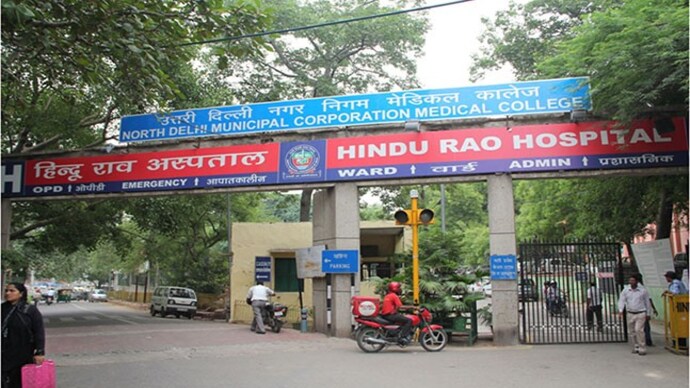
Hospital No. of beds, OPD capacity, ICU (Y/N), ambulance
Market No. of shops, covered area, parking capacity
IPR

IPR Entry Form

Immovable Property Register — Digitalisation

Standalone form for digitising existing paper-based IPR records. All historical Delhi land documentation is entered here along with scanned document uploads.

Key Fields
Zone & Ward Name Constituency No. Asset Category & Type Village / Locality Description & Boundaries Settlement & Jamabandi No. Area Govt. Sanction No. & Date Order No. & Date Mode of Occupation & Purpose Tenant Name Lease Termination Date Rental per Annum Expenditure Date & Amount Estimate Value & Date Annual Income & Source Land Disposal Details Verification Date & Officer Remarks S. No. & Page No. Direction — N / S / E / W 📎 Scanned IPR Image 📎 Property Image
📂 Independent of Parts 1–5. Used to convert paper IPR registers into digital records with image proof.
Asset Entry Flow (Parts 1–5 are sequential):
1
Primary Data
2
Administrative
3
GIS Mapping
4
Encumbrance
5
Dept. Fields
|
IPR
Standalone

What is DAMIS?

A flagship digital governance initiative by the Municipal Corporation of Delhi to create a unified, transparent, and efficient asset management ecosystem.

Our Mission

DAMIS – the Delhi Asset Management Information System – is built to digitise, centralise, and streamline the complete lifecycle management of all civic assets owned, leased, or managed by the Municipal Corporation of Delhi.

From MCD schools and hospitals to parks, markets, parking sites, and community toilets, DAMIS provides a single source of truth for every asset across all 12 zones and dozens of departments.

The system empowers administrators with real-time visibility into asset status, encumbrances, GIS locations, and departmental utilisation, reducing manual paperwork and enabling data-driven decisions.

  • Unique Asset ID generation for all registered assets
  • Multi-level approval workflow across 5 data parts
  • Zone and department-level access control
  • GIS-enabled spatial tracking
  • Encumbrance and ownership history
  • Land area, built-up area, and plinth area records
  • Master plan land use classification
  • Construction type and year of construction

System at a Glance

30+
Asset category types including hospitals, schools, markets, parks, and more
5
Structured parts per asset form for complete data capture
12
MCD zones fully integrated into the system
Buildings Parks Roads Vacant Land Water Bodies Hospitals Schools Markets Community Toilets Parking Sites Gaushala Dispensary

Contact Us

Reach out to the DAMIS support team for technical assistance, access requests, or general enquiries.

Get in Touch

Our team is available on all working days during office hours to assist you.

🏛️

Office Address

Municipal Corporation of Delhi
Dr. S.P. Mukherjee Civic Centre
Jawaharlal Nehru Marg, New Delhi – 110002

📞

Helpline

155305 (Toll Free)

📧

Email Support

mcd-ithelpdesk@mcd.nic.in

🕐

Working Hours

Monday – Friday: 9:00 AM – 6:00 PM
Saturday: 9:00 AM – 1:00 PM